A useful AI task context contains the goal, current state, confirmed decisions, constraints, source material, and next action. Ask the AI to read it, restate its understanding, and list gaps before doing the work. The aim is to make current facts easy to locate and check, rather than paste an entire project history into every prompt.
“Keep improving the launch plan” leaves basic questions unanswered. Which draft was approved? Was the video a suggestion or a commitment? What stopped the previous session? When these facts live only in chat, a fresh conversation creates another round of reconstruction.
Start with a specific deliverable
Alex is preparing five help-center guides for review by Friday. The task note names the readers, the scope, and the required review format, then links the approved outline. That turns “make it better” into work with a visible boundary.
Label sources by purpose. Customer feedback explains topic selection; existing guides show what not to repeat; review comments identify changes. Include a date or version when it matters. If a link breaks, a sentence about what it supported helps you replace it.
Separate decisions, suggestions, and unknowns
“Five guides in the first release” is confirmed scope. “Consider adding video” is a suggestion. “Will the screenshots arrive by Friday?” is unresolved. Separate these states so the AI can ask about the gap instead of silently turning a possibility into a promise.
| Situation | Response | Record to keep |
|---|---|---|
| Confirmed decision | Record what, who, and when | Approval reference |
| Suggestion | Keep it optional until accepted | Reason and confirmation condition |
| Unknown | Assign a concrete check | Person to ask and follow-up time |
Leave a restart point at the end of a session
Alex records that the outline is approved, two examples await review, and guide two still needs screenshot verification. He links the current draft and names the next check. “Half finished” would not tell either him or the AI where to resume.
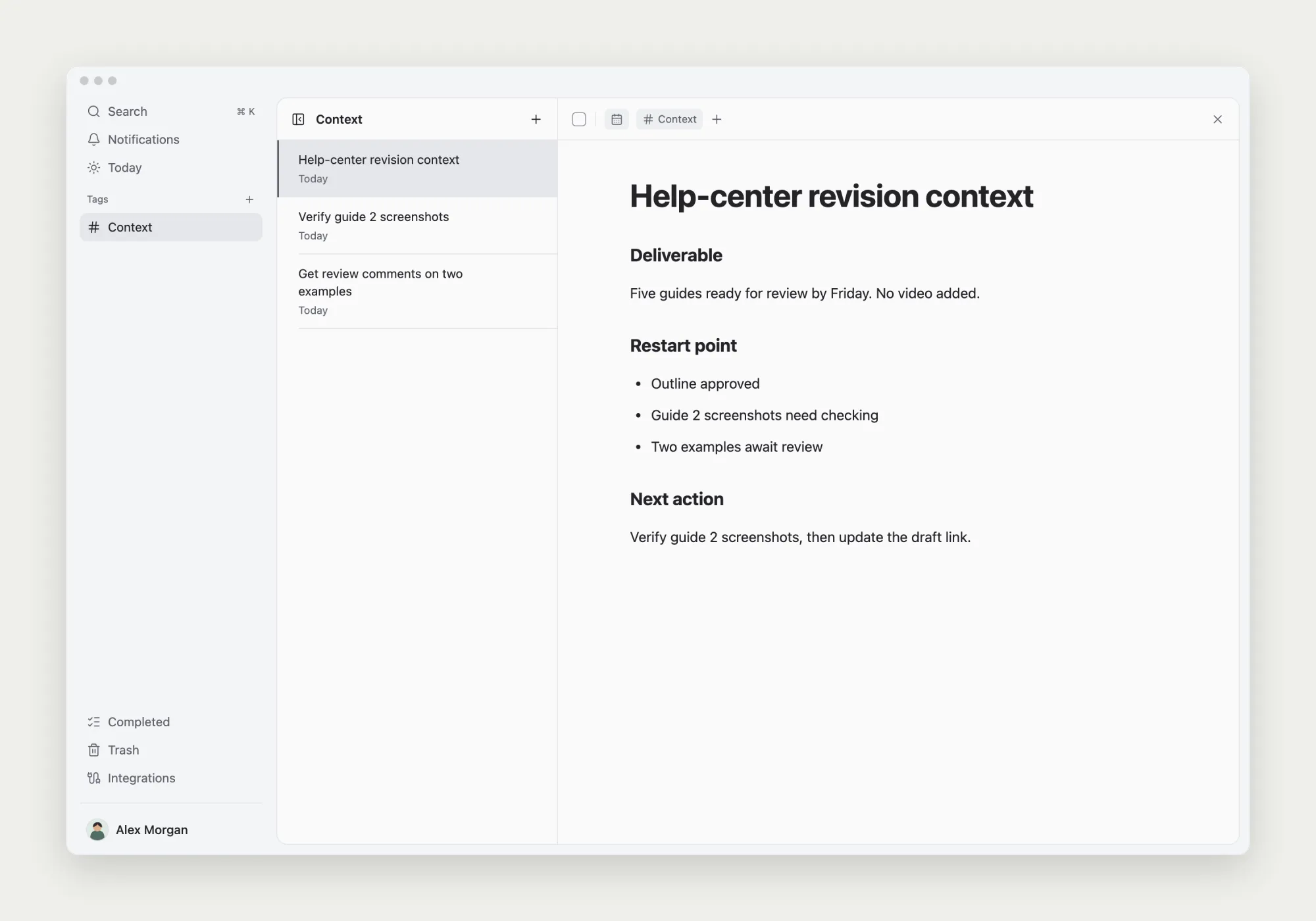
A template you can copy
Task goal and deliverable:
Audience and use case:
Current version and material location:

Work already completed:
Work still open:
Confirmed decisions and dates:
Optional suggestions:
Constraints that must be preserved:

Sources and versions:
Missing information:
Next concrete action:
Scope the AI may act on now:
Changes to review before saving:Update context when the work changes
In TodoNote, the material and progress can stay inside the task they support. With MCP, search the task title, then read the task and note. Title search does not search every paragraph. Ask for a proposed change before authorizing a save.
A note write replaces the whole document. Read its current contents, keep the valid sources and decisions, and submit the full revised text. Reading again immediately before saving helps avoid overwriting newer work with an earlier draft.
At a milestone, shorten temporary detail into outcomes and source links. Keep the conditions that still affect the next decision. You need to update changed facts, not rewrite the entire project description every time you open a conversation.
See the tasks and subtasks guide for the controls, and Use MCP to let AI continue from your tasks and notes for the next step.
Background reading: original source.