Turn an email into tasks by separating what needs a reply, what needs work and what is only reference material. Preserve the source for each action and check reply deadlines separately from delivery deadlines. Record unknown conditions as questions to resolve.
Starring a message reminds you to return, but does not explain what you owe. One email may contain a date request, a quotation request and a brand document. Leaving everything in the inbox invites repeated rereading.
Count actions rather than messages
In MAIL-01, a client asks for two available dates by Monday noon and a full quote after the budget is confirmed. Brand material is attached for reference. There are at least two actions; the attachment is not automatically a third task.
| Email content | Meaning | Record |
|---|---|---|
| Two dates by Monday noon | Explicit reply request | Date confirmation task with reply deadline |
| Full quote after budget confirmation | Conditional delivery | Quote task with budget prerequisite |
| Brand material for reference | Supporting information | Source retained for later work |
Keep a route back to the request
Record the subject, sender and date. Save a stable message link if your email tool provides one. A link accessible only through your own account is not automatically a shared reference that colleagues can open.
GTD’s email workflow example separates action reminders from supporting messages. Tasks remind; email retains context.
Separate conditions from deadlines
Monday noon is the date-reply deadline, not the full-quote deadline. The quote still needs a budget. If the client has not provided a delivery date, ask rather than filling in a plausible one on their behalf.
In TodoNote, create the two actions separately and keep source details and requirements in their notes. Retain the brand material location with the quote background. When the budget arrives, update the condition and agree the delivery date.
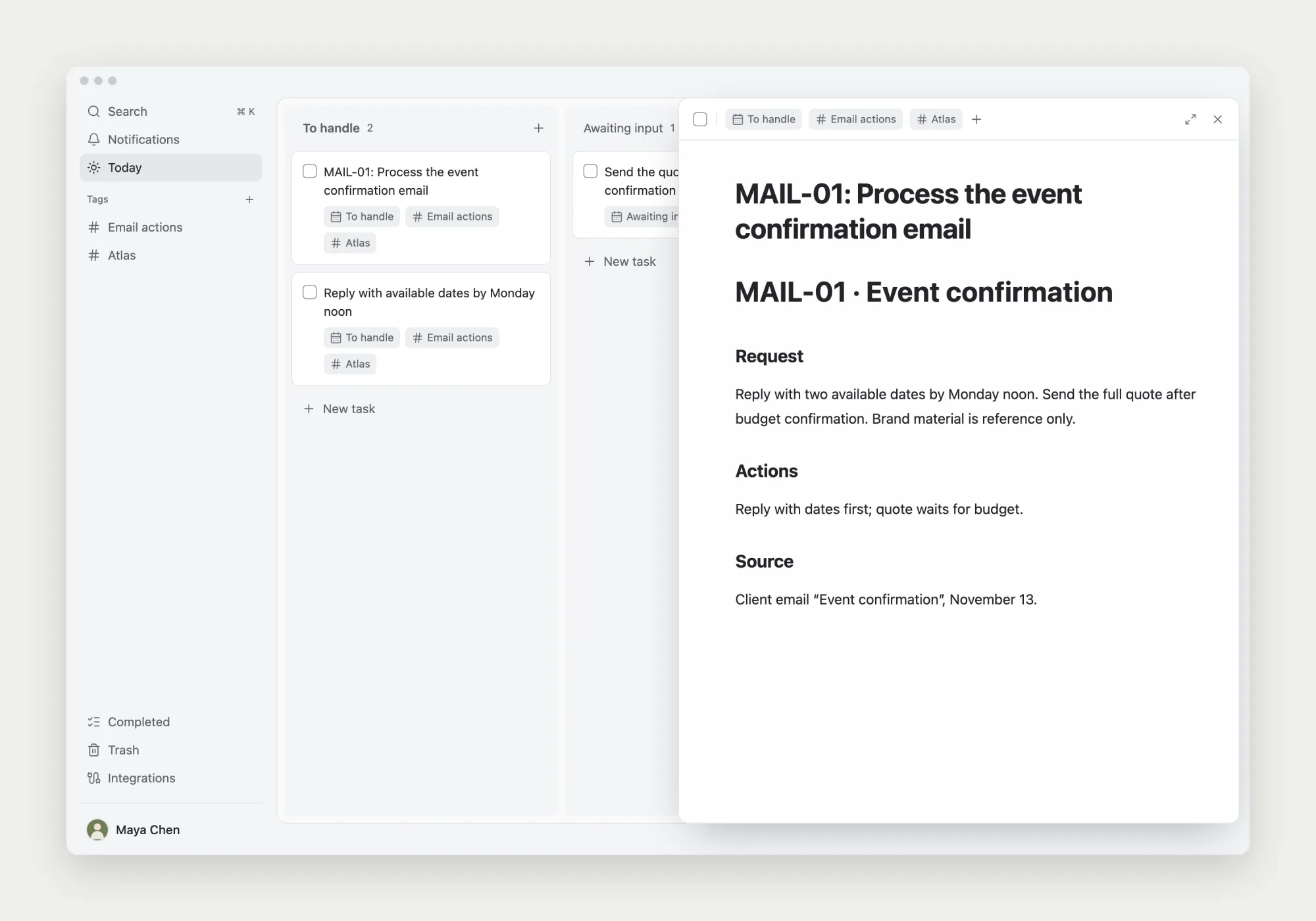
Check the original request before replying
One reply may close only part of a message. Sending two dates completes that action; the quote remains open. For a partial response, state what is answered and what still awaits confirmation.
Archiving email and completing work are different operations. Once a dependable task holds the action, the message can leave the inbox without pretending the delivery itself is finished.
After a few rounds, opening a task should give you a clear move and a source you can revisit, rather than another reason to reconstruct an entire message thread.
Continue with: Client meeting notes: keep a useful history of every conversation