Notion and Todoist both manage tasks and retain context. Start by asking whether your work revolves around scheduled actions or around related pages and structured information. Then test one project from capture through review, using the same work in both tools.
The shortcut “Notion for notes, Todoist for tasks” hides useful capabilities. Notion documents project and task databases; Todoist supports task descriptions with context and links. The question is how you want to maintain the connection between an action and the information behind it.
Compare the same project
For an Atlas onboarding revision, collect three interview findings, draft a recommendation, arrange a review, and keep the decision rationale. Building a template is preparation; completing that project requires work beyond setting up a workspace.
In Notion, pages and databases can connect project material and tasks. In Todoist, projects, tasks, and descriptions can organize actions, with links to longer material when useful. Judge these approaches against your needs rather than treating either as a complete description of the product.
| Check | Notion | Todoist |
|---|---|---|
| Organize the work | Pages and project/task databases | Projects and tasks |
| Keep task context | Task pages or related material | Descriptions and links |
| Test a change | Are relationships still clear? | Can action and context be found together? |
Test the return visit
COMPARE-01 holds the deliverable, source locations, and one unresolved question for a signup copy review. Add the task, leave it for a day, then return. Can you identify the next action and retrieve the evidence without reconstructing the conversation?
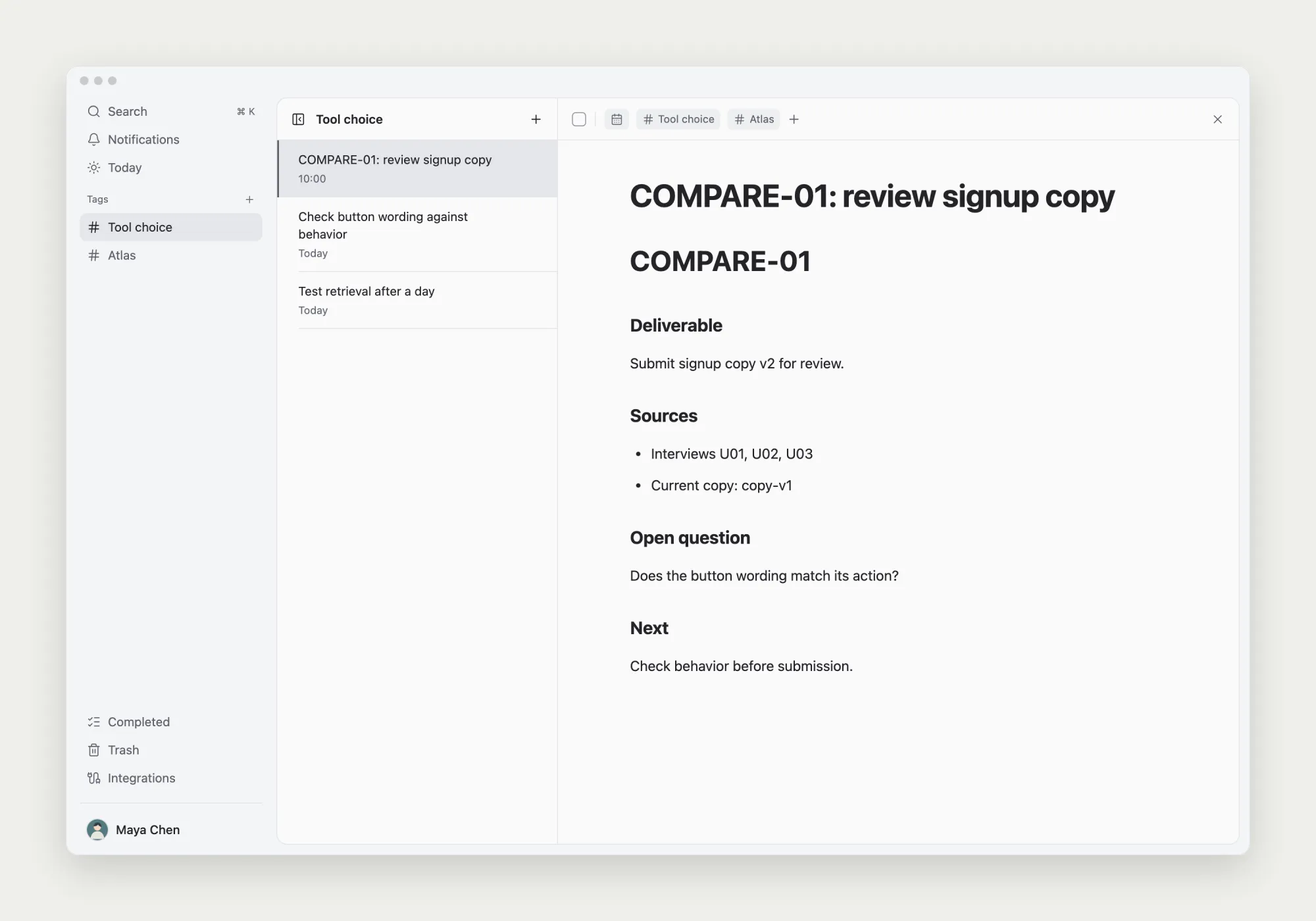
Next, change an interview finding. Count the places that need updating. If two apps contain competing versions of the project status, choose a primary home for that information. A schedule change should not force you to duplicate the research itself.
Choose the work you want to maintain
Try Notion first if you want to customize relationships between project information and pages. Try Todoist first if capturing and arranging clear actions is your immediate priority. These are workflow recommendations; record length, collaboration, and your maintenance habits still matter.
TodoNote offers another approach to test when you want substantial working notes directly inside a task and tags for retrieval. Keep the evidence in the task note and separate the next actions into subtasks. Start with one project before moving older material.
Finish a small trial
Include capture, scheduling, a change, completion, and a later lookup. Record where you got stuck. Check current official pages separately for pricing, plans, and platform requirements; an old comparison chart should not decide those for you.
A template to copy
Trial project:
Expected deliverable:
Primary home for source material:
Primary home for task status:

Steps needed to capture an action:
Could I find context a day later?
Places to update after a change:
How to retrieve evidence after completion:
Specific friction:
Reason to keep, adjust, or stop:Related workflow: How to write task notes you can pick up tomorrow