A project issue log records a current problem, its impact, decisions and actions taken, and the evidence needed to close it. Give each issue a stable identifier and a next review point so that “being handled” does not become a permanent status.
“Export broken” cannot guide the next check. You need to know which export, which version, who is following up, and whether the proposed fix has been tested.
Distinguish a current problem from a risk
A risk concerns an uncertain event; a working issue record starts from a problem needing attention now. Definitions differ: APM uses “issue” more narrowly for problems approaching or breaching delegated tolerances. Follow your project's escalation rules rather than escalating every defect to a sponsor.
| Record | Example | Next step |
|---|---|---|
| Risk | A future export might omit a field | Plan a preventive check |
| Current issue | Registration v2 omits dietary needs | Assess impact and respond |
| Response | Check mapping and regenerate | Execute the proposed remedy |
| Closure evidence | Replacement contains required data | Verify before closing |
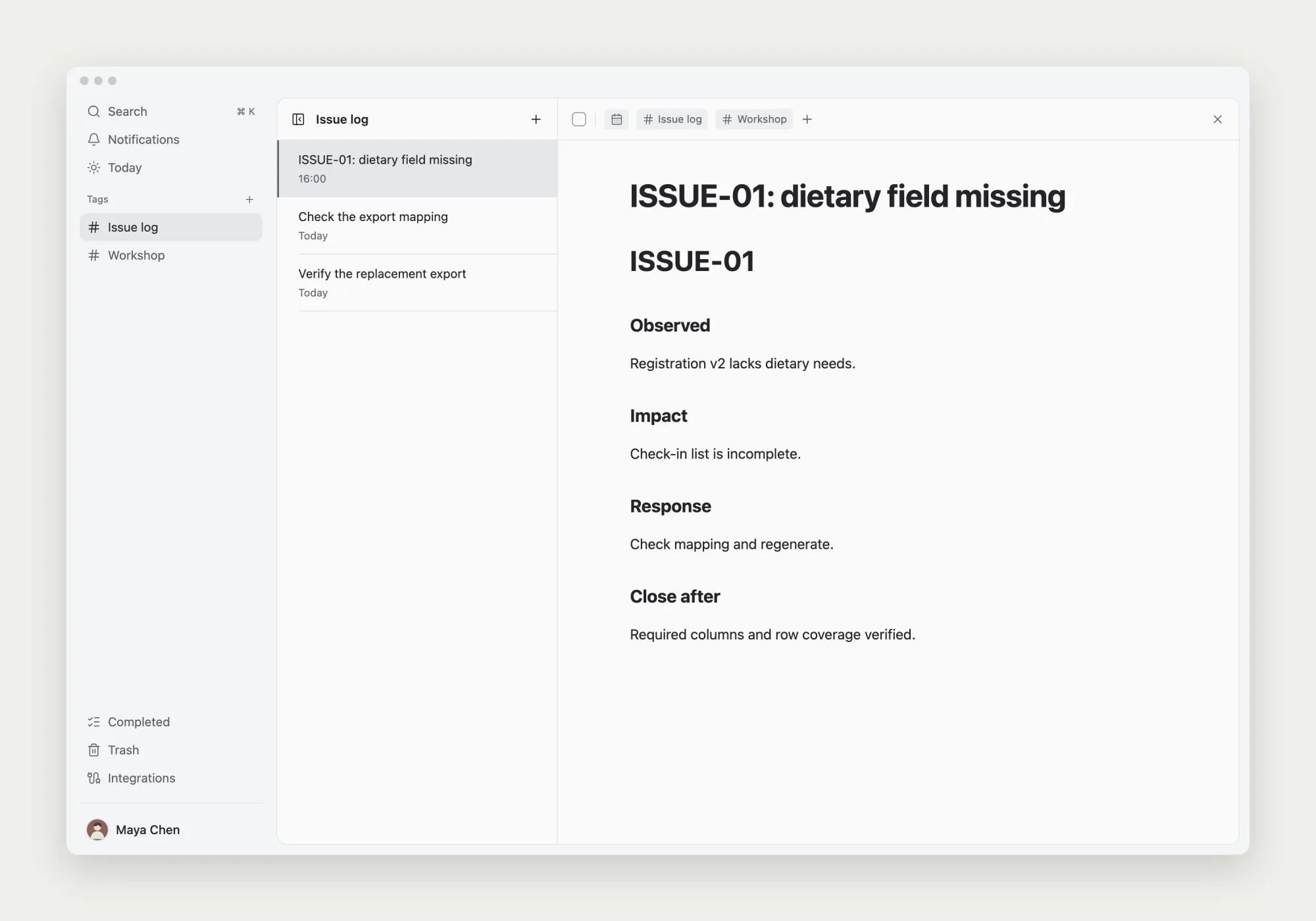
ISSUE-01 records a registration v2 export that omits dietary requirements. The file is already incomplete. Check-in staff need an interim response while the technical remedy is checked.
Make the next check observable
Record the affected version and source sample, then describe the impact on the next milestone. Keep “field mapping may be missing” separate from the observed missing column: it remains a hypothesis until checked.
The response is to check the mapping and regenerate the file. Closure requires opening the replacement and comparing required columns and row coverage against the agreed source. “Fix submitted” differs from “replacement verified.”
Set the response and escalation checkpoint
Choose a checkpoint before the event needs the file. If verification cannot finish by then, ask the appropriate contact to approve a fallback. Record the decision, its limits, and its effect on the plan.
In TodoNote, keep the issue ID in the title, evidence and decisions in the note, and verification as a subtask. The project tag connects related work. Keep the issue open until its closure condition is verified.
Issue log entry to copy
Issue ID / discovered at:
Project / affected version:
Observed problem / evidence:
Current impact:
Suspected cause / uncertainty:
Follow-up contact:
Response action:
Response checkpoint:
Escalation condition / contact:
Fallback / decision needed:
Closure condition:
Verified version / result / date:Close with the checked result
Retain the verified version, date, and remaining limitation. If the issue returns, compare the new observation with the earlier result instead of rebuilding the investigation from memory.
Read next: Project risk register template: turn uncertainty into a response plan
Sources and background: APM