To hand work to another AI, record the goal, version, artifact locations, verified results, open problems, and next action. The receiving AI should read the record and necessary source material, restate the state, and verify key facts before editing.
A chat summary is an entry point. It must distinguish work performed from work verified: a written file is not a passing test, and a passing test environment is not a verified production release.
Point to actual artifacts
Use a stable task reference, file locations, and versions. Preserve constraints and meaningful failed attempts without copying every message. The next worker needs to know which directions remain open and why others were abandoned.
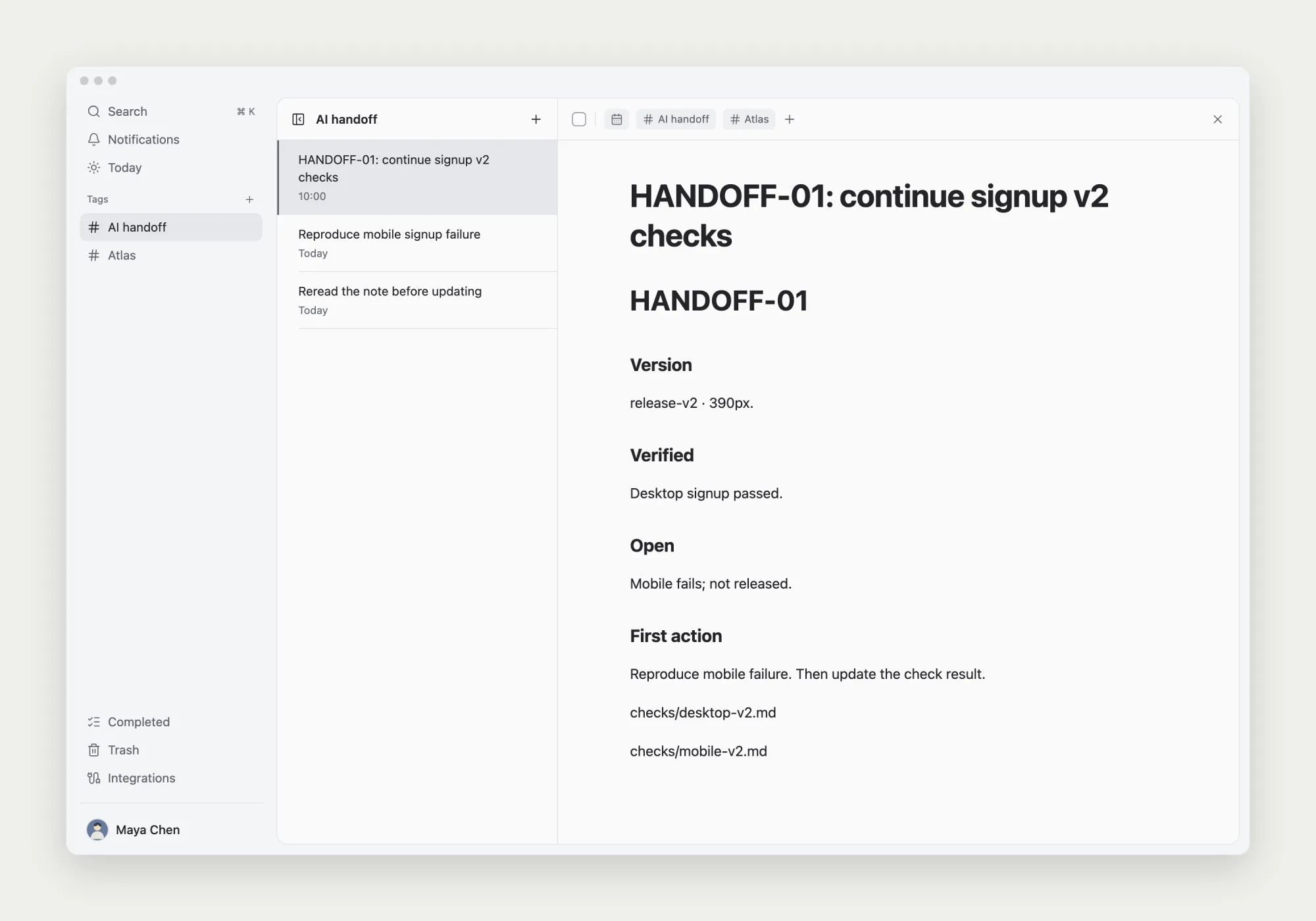
HANDOFF-01 concerns signup v2: desktop checks passed, mobile fails, and the release has not happened. The first action is reproducing the mobile problem, not redesigning the desktop flow or declaring release complete. In this case, checks/desktop-v2.md holds the desktop report and checks/mobile-v2.md the failure record; reproduce at 390px first.
| Situation | Response | Record to keep |
|---|---|---|
| Verified work | Desktop passed; name version and report | Check report against current files |
| Open work | Mobile fails; not released | Reproduce before fixing |
| Failed attempt | Conditions, action, and result | Avoid repeating identical attempts |
| Next action | Reproduce at the named width | Confirm scope before editing |
Verify before acting
Ask the receiving AI to identify which records support its understanding and whether the versions still match. Read the report behind a passing check; if the relevant files changed, rerun the affected check.
Separate “not attempted” from “attempted and failed.” For a failure, preserve conditions and results, such as a particular viewport width, rather than writing that an entire approach does not work.
Give the record a clear writer
Compatible MCP clients can access a common record through exposed tools, provided each has normal authorization. MCP does not guarantee that both AIs read the latest state or resolve simultaneous edits.
TodoNote currently exposes search_tasks for titles, get_task for status, tags, and children, and get_task_document_markdown for notes. A title match is not a substitute for reading the note; keep a clear task name or ID in the handoff.
Read again before writing back
Let one worker edit the record at a time. Read the current note and integrate the new result before writing. set_task_document_markdown replaces the whole document; expectedUpdatedAt can detect version changes. On conflict, reread before deciding how to merge.
Keep credentials in normal authorization mechanisms and record only access requirements. Finish by updating artifact locations, actual checks, and unfinished work. The next tool then has a verifiable starting point.
A template to copy
Task name or ID:
Goal and completion criteria:
Current version:
Artifacts and sources:

Completed and verified:
Check environment, method, result:
Unverified or failing work:
Attempts and outcomes:
Constraints and access requirements:
Next concrete action:
Current writer:
Version check before writing:Related workflow: Use MCP to let AI continue from your tasks and notes
Sources and background: MCP