Use Google Calendar for the meeting time and create a separate task for each follow-up you plan to do. TodoNote can bring a Google Calendar event into your task board, where its note can hold decisions and its subtasks can have their own work dates.
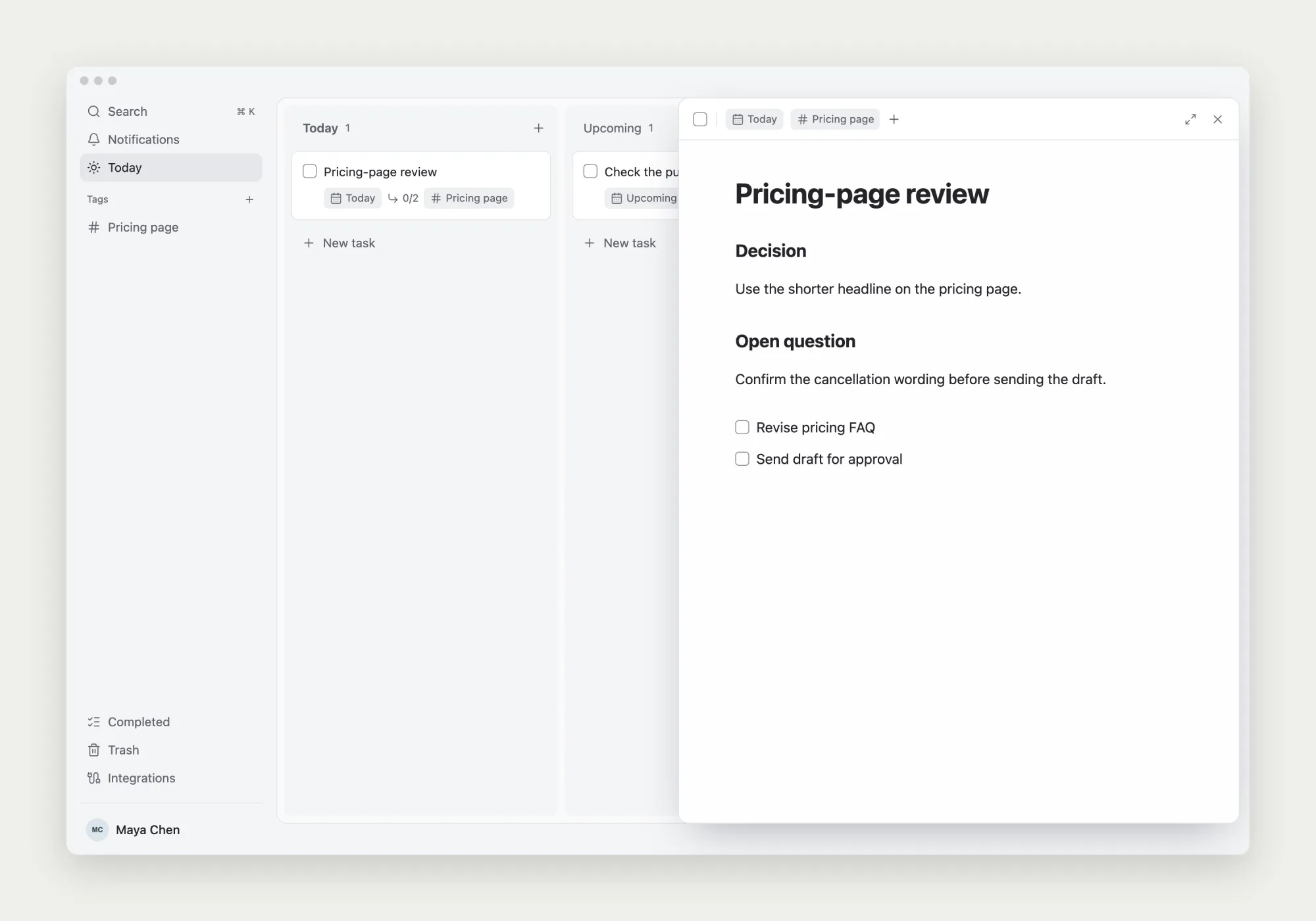
At a Thursday pricing-page review, Maya needs to record an approved headline and remember two jobs afterward: revise the FAQ and send the draft for approval. A calendar entry answers when the review happened. The two subtasks tell her what she has to open and work on next.
Keep the shared minutes and your own next steps connected
Google Docs meeting notes can be attached to a Calendar event when the option is available. Keep the shared record there when attendees need to read or edit it. Put the document link and the decision that affects your work in the task note.
Write follow-ups as deliverables. “Revise the FAQ” becomes “Add cancellation and billing answers to the pricing FAQ.” Schedule that edit for Friday and use Monday for the separate task of sending the draft for approval.
Follow one pricing-page review through the board
| Item | Record to keep | Where to schedule it |
|---|---|---|
| Pricing-page review | Approved headline and shared meeting notes | Google Calendar event |
| Revise pricing FAQ | Add cancellation and billing answers | Subtask, Friday |
| Send the draft for approval | Send the revised link to the reviewer | Subtask, Monday |
If a follow-up belongs to another attendee, keep their name and the agreed outcome in the shared minutes. Add a personal task only for the part you own, such as checking their reply before sending the draft.
Try it with the next meeting on your calendar
In TodoNote, open Integrations, connect Google Calendar and choose the calendar you want to subscribe to. Once the event appears, add the decision to the task note. In the note, use the slash menu to create the two subtasks and set their start dates individually.
Move a rescheduled meeting in Google Calendar. TodoNote syncs the event’s timing from Google Calendar. Completion and notes added in TodoNote stay in TodoNote. If the move changes how much time you have to work, open the follow-up tasks and adjust their dates too.
A short test works best with a meeting where you already expect to do one thing afterward. Open the planned follow-up from the board the next day and see whether the task tells you what to do without rereading the whole meeting.
How to write meeting minutes with actionable next steps
References · Google Calendar · Google Docs · Turn calendar events into tasks