Microsoft To Do’s Flagged Email list syncs flags from your primary Outlook mailbox. Flags in shared mailboxes and shared folders remain in Outlook. Test one message in your primary mailbox first to tell a mailbox limitation from a missing connection. Microsoft’s Flagged Email rules
Compare two recent messages
Flag one recent message in the primary mailbox and one in the shared mailbox. Open the Flagged Email list while signed into To Do with the same Microsoft-hosted account.
If the primary message appears and the shared one doesn’t, that matches the supported scope. If neither appears, verify the account and check that Flagged Email is enabled in To Do settings.
The first population only brings in the 100 most recently flagged messages from the previous 30 days. Use a fresh flag when testing.
Record the work from a shared message
Mina finds request R-42 in the returns mailbox. The sender asks whether Thursday pickup is possible. Mina creates “Confirm the pickup window” and keeps the email’s subject, time received, and mailbox in its note.
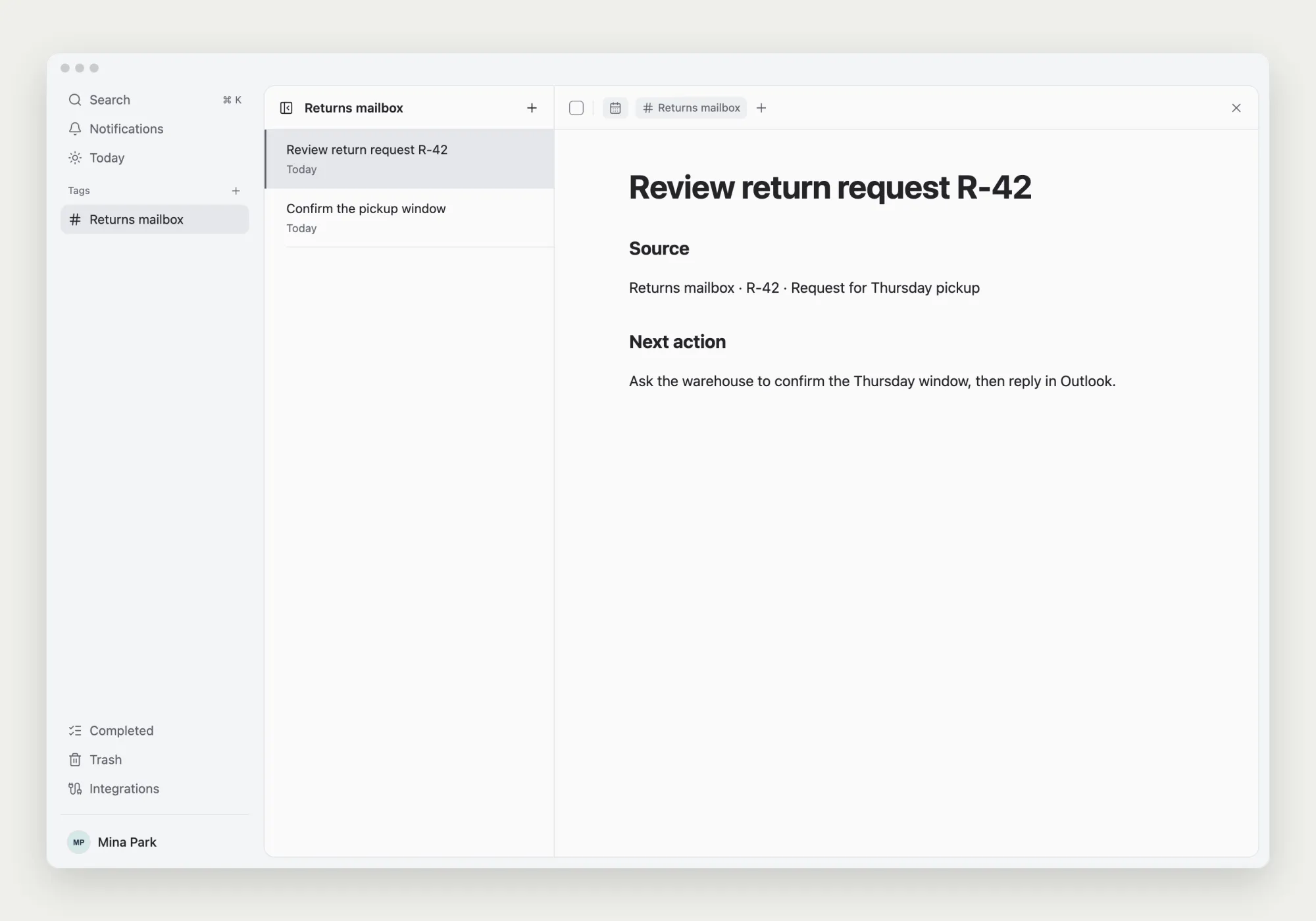
Add a link only if the people opening it can access the mailbox. The subject and timestamp help locate the message when a direct link cannot be shared.
Keep the customer’s requested window separate from the date when you plan to ask the warehouse. Track the follow-up as completed once you have confirmed and communicated the answer.
Before creating another task, search for R-42. Keep subsequent replies in the same record so the warehouse and the customer stay tied to one request.
What should you check next?
| Test result | Next step |
|---|---|
| Primary flag shows, shared flag doesn’t | Create a separate follow-up from the shared email |
| Neither flag shows | Check your account, mailbox, and Flagged Email setting |
Microsoft says To Do apps retire on June 30, 2027. If you’re choosing a new workflow, test it with one shared-email follow-up and verify how you can find the source afterward. Microsoft’s transition guidance
Use the email-to-task workflow to split a message that contains several requests.