To assess a prompt revision, run both versions on the same input and judge them against criteria written in advance. Save the conditions, original outputs, and failures, then test on material you did not use while revising.
A smoother summary may still omit essential information. Decide what it must retain and what it must not invent before judging style. Otherwise, a more pleasant sentence can conceal a worse result.
Define a result you can check
PROMPT-01 summarizes an event announcement. The criteria require the event date, intended audience, and registration action, with no unsupported promises. Each can be checked against the source announcement.
The Anthropic introduction to prompt evaluation describes comparing outputs across test cases. For a small manual trial, a working note can preserve the comparison and the evidence behind each judgment.
Make the comparison interpretable
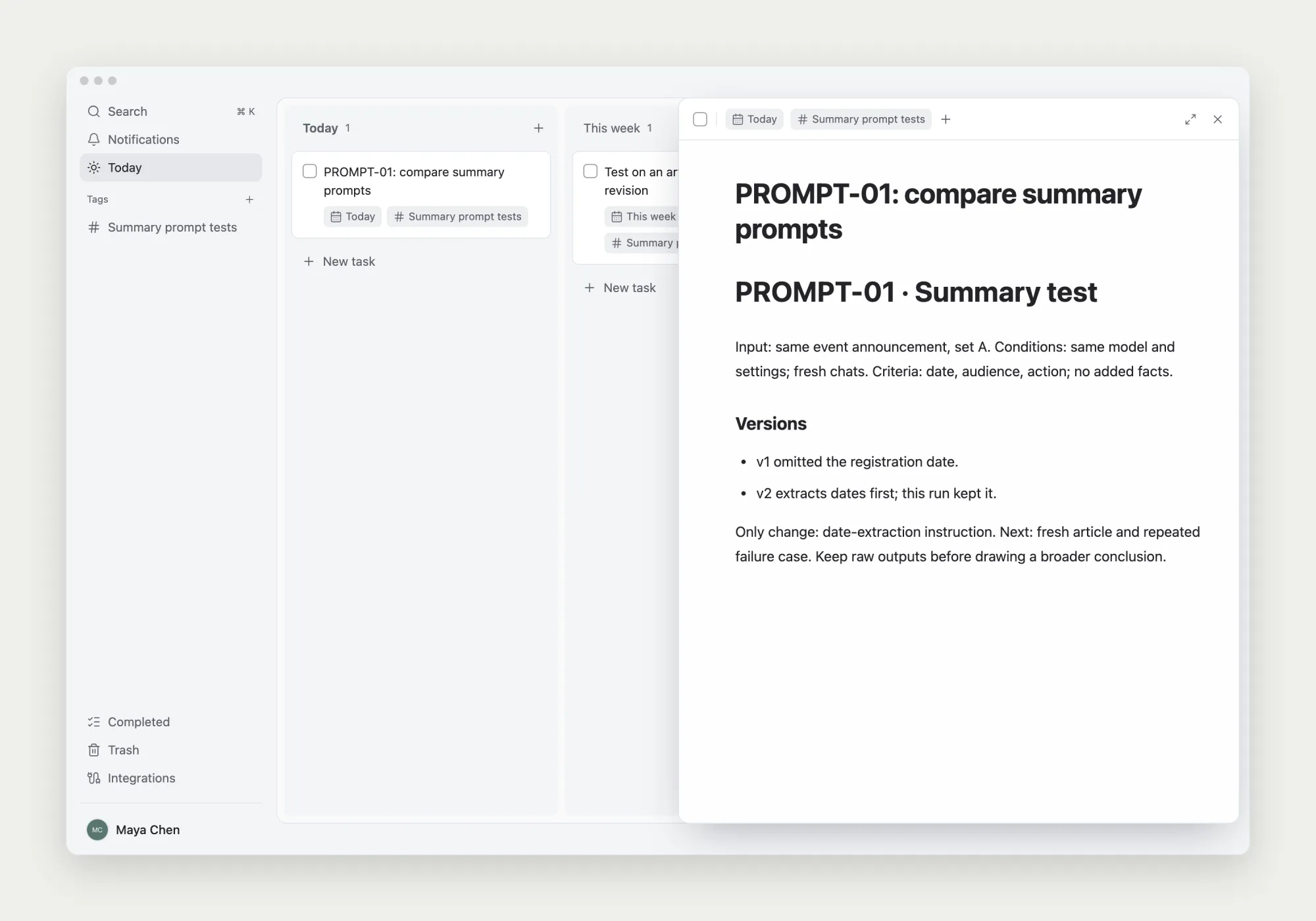
Version v1 omitted the registration date. Version v2 adds an instruction to extract dates before writing. Both use the same material, model, and settings in fresh chats. The record identifies one deliberate change.
Changing the model, input, background, and prompt together makes the cause harder to identify. Separate the work into rounds when possible, with each round answering a specific question about the revision.
Keep failures and test fresh material
Version v2 retained the date on this run. That is a result for this case. Repeat the earlier failure and try an announcement not used during revision. Record any new condition needed for the prompt to work.
Outputs can vary between runs. Repeat important cases and keep inconsistent results as well. A small test collection can reveal problems; describe conclusions within the materials and conditions actually checked.
Turn observations into follow-up work
In TodoNote, create a task for the comparison and keep source locations, versions, and output evidence in its note. Use subtasks for fresh cases and repeat runs. Enter the results as you check them and preserve why each revision happened.
Purpose / success criteria:
Input case ID:
Original material location:
Prompt version / full text:
Model / settings / run time:

Single change:
Version A output:
Version B output:
Criterion judgments / evidence:

Failure case:
Repeated-run result:
Fresh case not used for revision:
Conclusion scope / next step:When choosing a version, record remaining failures and required human checks. An individual deliverable still benefits from the AI output review checklist. Version comparison and reviewing one final output answer different questions.