Organize a prompt library around recurring jobs: the result you want, required inputs, expected output, and the version you have checked. Keep reusable instructions separate from changing data supplied for each run.
A folder called “good prompts” becomes hard to use when you cannot tell which entry expects a transcript, a draft, or a confirmed decision.
Give each prompt one clear job
Use an action-based title such as “Extract proposed actions from review notes.” Add topic or input tags when you expect to search that way. Avoid keeping several nearly identical copies with ambiguous names.
PROMPT-01 needs dated workshop review notes and agreed contacts. It separates explicit commitments from suggestions and questions. It must not give someone a promise that the input never made.
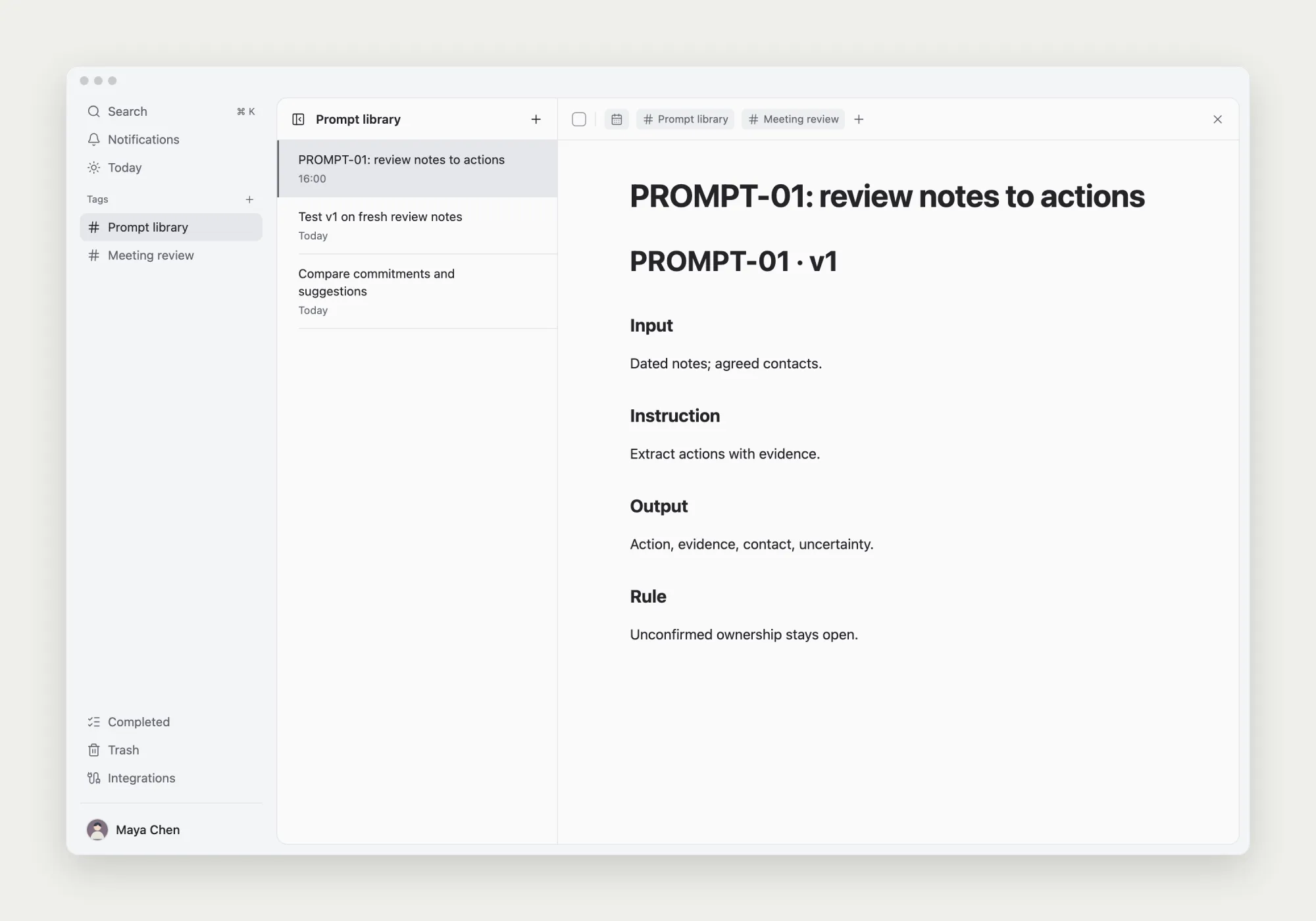
Separate reusable instructions from changing inputs
Anthropic's template guidance distinguishes reusable text and variable inputs. In a normal note, name the input slots and retain project data in its original record until a run needs it.
| Part | Example | Purpose |
|---|---|---|
| Job | Extract follow-up actions | Find the right entry |
| Input | Dated notes and agreed contacts | Know when it is usable |
| Output | Action, evidence, contact, uncertainty | Check consistently |
| Version | v1, tested on review-16nov | Connect behavior to an input |
| Failure rule | Unconfirmed commitments stay open | Avoid inventing agreement |
Specify an output contract: action, evidence, agreed contact, and uncertainty. State what to do when an input is missing. For PROMPT-01, unconfirmed ownership stays open rather than becoming an invented assignee.
Connect each version with an observed result
Record the version, client or model used, sample input location, and reason for revision. “Checked” means reviewed on that sample; it does not mean every future output will be correct.
In TodoNote, keep the prompt in a note under a purpose tag such as “AI / Meeting review.” Make a separate task for a scheduled run or test. Keep run results with the project so the library does not become a duplicate of every project's data.
Prompt library entry to copy
Prompt title / job:
Purpose tag:
Use when:
Required inputs / source locations:
Input placeholders:
Reusable instruction:
Output fields:
Missing-input behavior:
Version / revision reason:
Client or model checked:
Test input / observed result:
Current version / next test:Retire competing copies
When a new version replaces an old one, record the current choice and reason. Keep historical versions when they explain a change. Test fresh input before treating an observed improvement as reusable.
Read next: Did Your Prompt Improve? Compare Versions with a Test Log
Sources and background: Anthropic