To resume interrupted work, recover four things: your stopping point, what you have confirmed, what remains unresolved, and the next concrete action. A short note before pausing gives you a place to start when you return.
The note does not need to account for your whole day. It supports one unfinished task, particularly work such as checking data, revising a draft, or investigating a problem where intermediate judgments matter.
Record a location you can return to
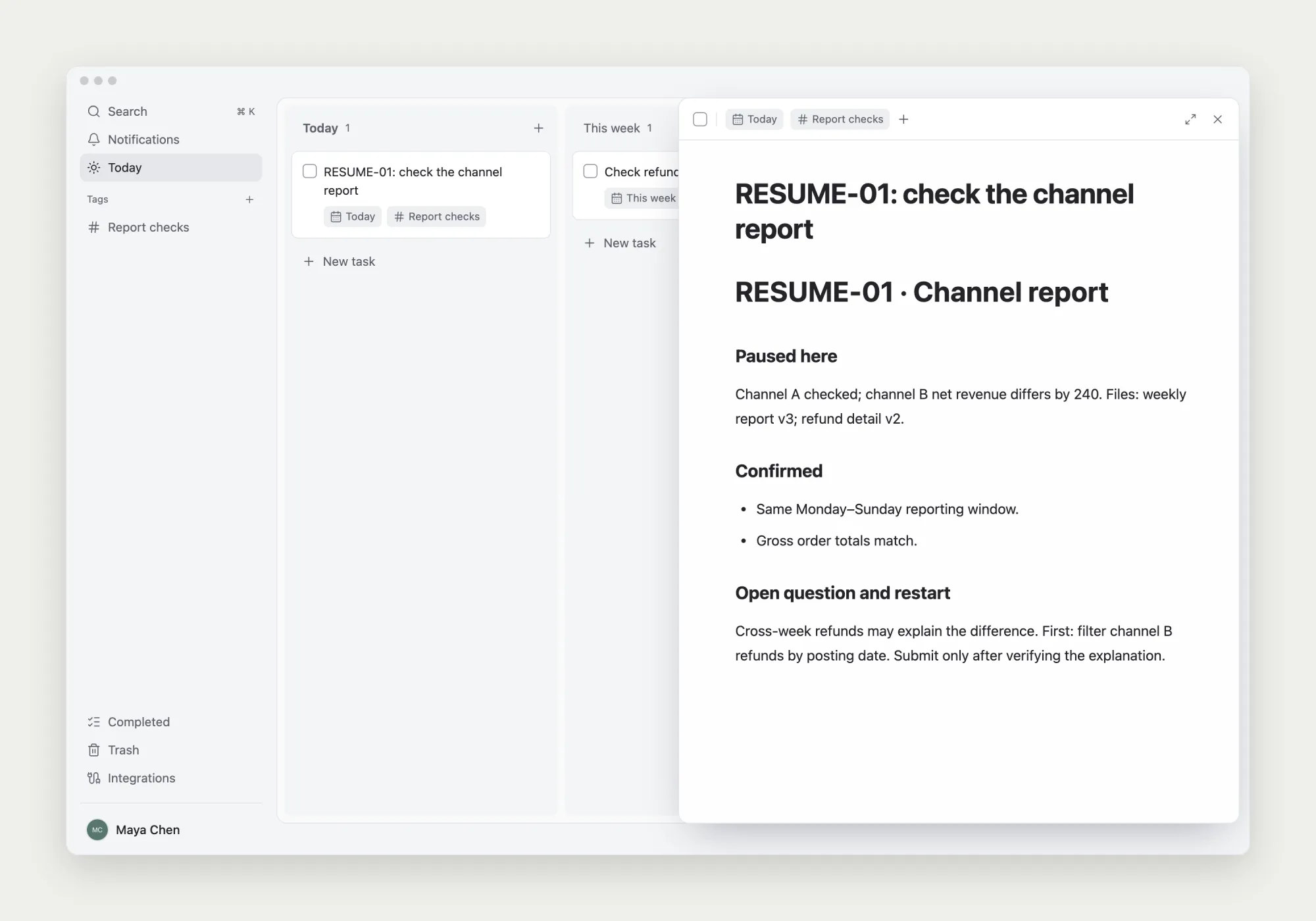
In RESUME-01, channel A is checked, while channel B has a net revenue difference of 240. “Halfway through the report” is difficult to resume. “Channel B: gross totals match; net revenue unresolved” identifies the live problem.
Save the file versions and filters too. Weekly report v3 and refund detail v2 should refer to a clear reporting period and definition. Returning to the same file with a different filter can otherwise change the apparent result.
Distinguish evidence from an explanation
The matching reporting window and gross totals are confirmed. Cross-week refunds are still a possible explanation. Label the distinction so an unfinished hypothesis does not become a remembered conclusion.
If several explanations remain, keep the evidence that would change your next action. A sentence on each can be enough. Copying all the raw data makes the restart point harder to find.
Leave one small action for your return
“Continue checking” is still broad. “Filter channel B refunds by posting date and compare with order dates” names the object, operation, and purpose. You can begin without reconstructing your original plan.
In TodoNote, keep the restart information in the original task note. Turn unresolved checks into subtasks or follow-up tasks. A start date schedules the return; the note preserves the working state. Keep submission open until the explanation is verified.
Check what changed while you were away
On returning, confirm that the files, data, and problem have not changed. If someone updated the report, record the new version and stopping point before carrying on. Earlier checks may need to be repeated where the underlying data differs.
Task / current version:
Paused at:
Completed through:
Scope already checked:
Source location:

Confirmed facts / evidence:
Unverified explanation:
Open question:

First restart action:
Changes to check on return:
Completion / submission condition:Once the difference is explained, save the evidence and complete the submission. If another person will continue, expand this into handover notes. A personal pause usually needs only enough context to take the next step.