A good trial for a Mac and Windows to-do app runs through a whole device switch using the same account. Check dates, task notes, subtask progress, and how to recover the record after completion.
Choose the device setup you will actually use
TodoNote has a browser app and desktop apps for Apple silicon Macs and Windows x64. If one of the computers is managed by your employer, check what you can install and which browser you can use.
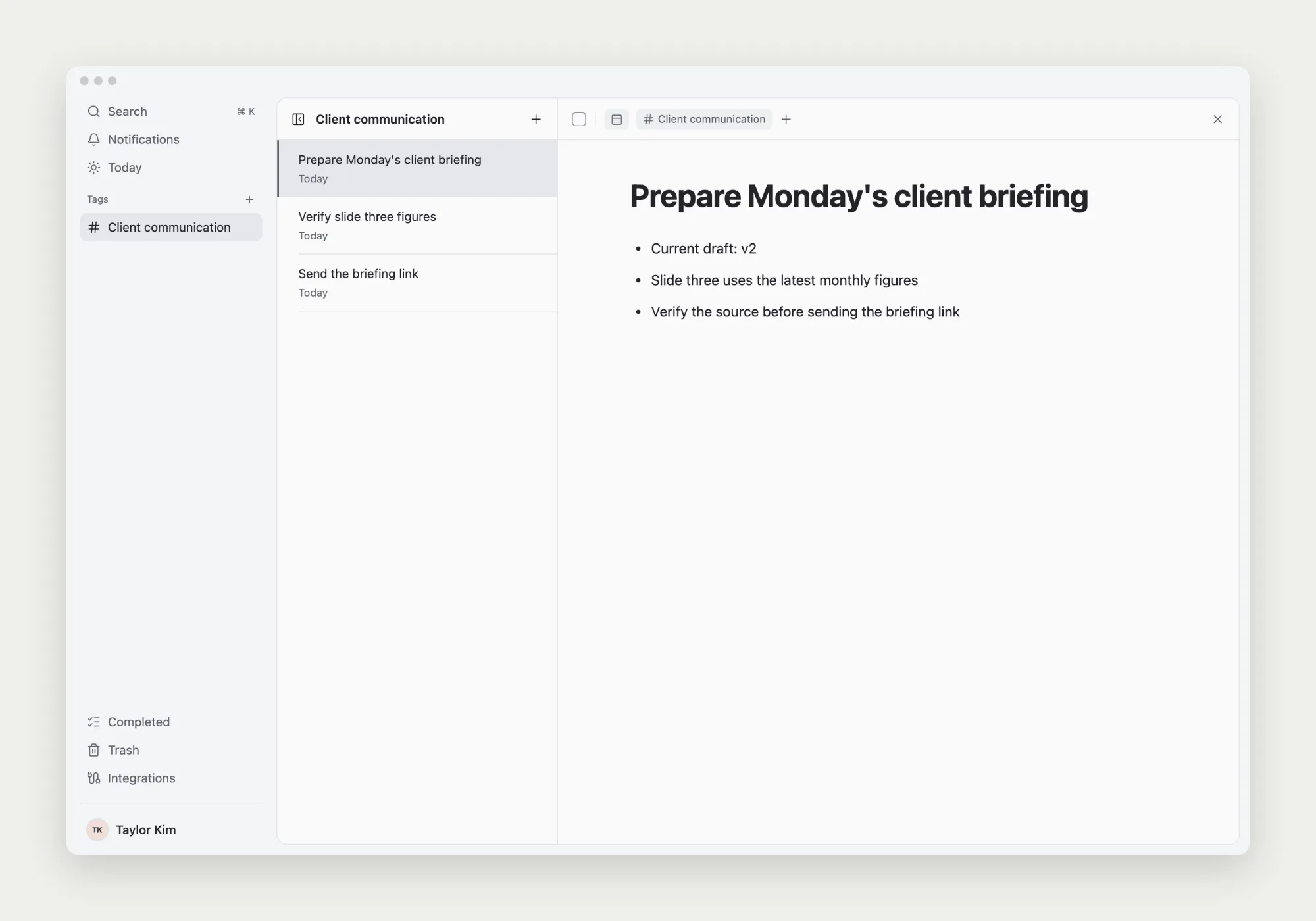
On the Mac, create “Prepare Monday's client briefing.” Add a document link and note that draft v2 still needs its slide three figures verified. Make that verification a subtask.
Continue the same work on Windows
Wait for the Mac edits to save. Open the original task on Windows under the same account and check that the date, link, and subtask are present. Verify the figure there, finish the subtask, and add the source of the numbers to the note.
Go back to the Mac and verify the new note and completion status. If the change is missing, check the accounts, connection, and whether the edit saved on Windows.
Retrieve the conversation after the to-do is done
Send the briefing and complete the main task. On the other device, use the Client communication tag or the title to find it. Open the note and identify which monthly figures made it into the final brief.
Repeat the retrieval after a few days if that is closer to your normal routine. Two minutes spent looking for finished work can tell you more than a long feature list.
TodoNote guide to devices and sync
Cross-device sync trial checklist
On device one, sign in, create a task, and set its date.
Add a note with a link and one subtask.
On device two, sign in to the same account and open the task.
Update the note and subtask, then check the change on device one.
Complete the task and find it again by title or topic.
Record any device, network, or notification constraints:Related workflow · Switching Task Managers? Test the Migration With 10 Tasks